Phone in the Infrared Sauna? What You Can & Can't Do | Flamengo

Taking your phone into the infrared sauna? — what you can and cannot do
Quickly sending a message, listening to a podcast or keeping an eye on the time — a phone in the sauna seems handy. But is it safe for your device? The short answer: no, not in a traditional sauna. With a sauna blanket, yes, provided you are careful.
A phone in a traditional infrared sauna or Finnish sauna is a bad idea — heat and moisture are disastrous for electronics. With an infrared sauna blanket it is different: lower ambient temperature, no steam, and your phone can lie safely next to you. In this article: the 5 risks for your phone, what the manufacturers themselves say, a comparison by sauna type and 5 practical tips for sensible use with a Flamengo sauna blanket.
Can you take a phone into the infrared sauna?
The short answer differs per type of sauna:
- Traditional Finnish sauna (90°C + steam): no, absolutely not. The combination of extreme heat and humidity damages your device within minutes.
- Infrared sauna cabin (60-70°C): no, not recommended either. The ambient temperature is far above the safe operating range of your phone (max 35°C).
- Infrared sauna blanket (35-75°C inside, room temperature around it): yes, carefully — your phone can stay perfectly well next to the blanket, not underneath or inside it.
Apple and Samsung both specify that their smartphones are intended for use between 0°C and 35°C. Above that temperature, permanent damage can occur to the battery, screen and internal components. An infrared sauna cabin or Finnish sauna is therefore structurally above that limit — an infrared sauna blanket only on the inside.
The five risks for your phone in a sauna
What exactly happens when your phone is exposed to heat for too long? Five concrete risks, from mild to serious.

The five main risks for your phone in a sauna, plus why a sauna blanket is a safer option.
1. Processor overheating
Smartphones start thermal throttling at around 35°C — the processor scales itself back to prevent damage. Above 40-45°C the device often shuts down completely. Do this regularly and you build up permanent damage to internal components.
2. Shorter battery life
Lithium-ion batteries, the standard in all modern smartphones, hate heat. At temperatures above 35°C the chemical degradation of the battery increases significantly. In extreme cases the battery can swell — a visible, dangerous sign that requires immediate replacement.
3. OLED screen blotches
Many modern phones have OLED screens. These are sensitive to prolonged heat: it can cause permanent colour blotches or "burn-in" effects on the screen. Once present, this cannot be repaired without a screen replacement.
4. Condensation and corrosion
In a traditional sauna this is the biggest risk: moisture gets into the device through small openings and settles on the circuit board. Result: corrosion of connections, a faulty charging port, or even total failure. Liquid indicator stickers in modern phones change colour, which voids your warranty.
5. Signal loss during the session
The infrared elements in a sauna cabin or sauna blanket can interfere with Wi-Fi and mobile signal. Temporary and harmless, but something to bear in mind if you value your connection.
Temperatures compared — what is actually safe?
A visual comparison of the temperatures at which different sauna types operate, compared with the safe operating zone of a smartphone (Apple/Samsung specs).

Smartphone operating temperatures are well below common sauna temperatures — you are only safe next to a sauna blanket.
What this shows:
- Room (20-22°C): completely safe for your phone. This is where your phone belongs.
- Next to the sauna blanket: the space around a Flamengo sauna blanket stays at room temperature. Your phone lies safely on the sofa or bedside table next to you.
- In an infrared sauna cabin (65°C): 2x above the safe limit — damage likely within 15-30 min.
- In a sauna blanket (75°C inside): direct contact with the FIR elements — damage possible within one session.
- Finnish sauna (90°C + steam): total damage virtually guaranteed within one session.
Why a sauna blanket is a safer alternative
With a Flamengo infrared sauna blanket the situation is fundamentally different from a traditional sauna or sauna cabin. Three reasons why a phone next to (not inside) the blanket is safe:
1. No steam or moisture
An infrared sauna blanket works with FIR heat radiation, not steam. The sweat you produce stays inside the blanket — outside it the air is simply dry. No condensation, no moisture that can get into your phone. In a Finnish sauna, moisture is precisely the biggest problem.
2. Room temperature around it
The heat of a sauna blanket stays inside the blanket itself — the ambient temperature in your living room or bedroom simply stays at 20-22°C. In an infrared sauna cabin you sit in an enclosed space that is fully heated; a phone on a bench in the cabin is therefore in 65°C air.
3. Remote control replaces phone use
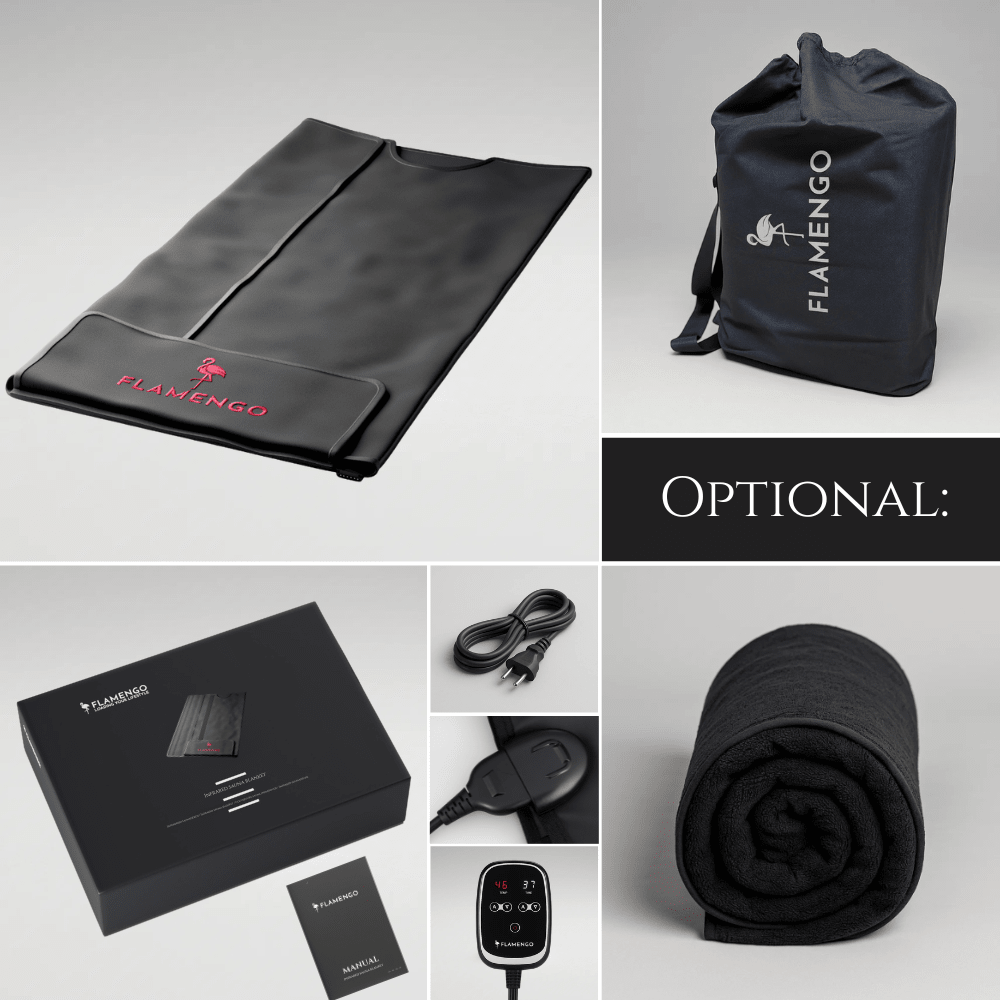
The Flamengo sauna blanket comes with a built-in remote control for temperature control (35–75°C) and timer (max 60 minutes). You do not need your phone to manage the session — which removes the whole problem at its root.
5 tips for sensible phone use during a sauna blanket session
Still want your phone within reach during a sauna blanket session? These 5 tips prevent problems.

Five practical tips for sensible phone use with an infrared sauna blanket.
Most important rule: put the phone on a table, bench or bedside table next to you. Never inside the blanket, never underneath your body, never on top of the blanket. The ambient temperature next to the blanket is simply room temperature and therefore safe.
Want to listen to music, a podcast or a meditation app? Connect your phone to a Bluetooth speaker and put the device out of sight. That way you enjoy audio without having your phone within reach — and you are less tempted to scroll.
Aeroplane mode stops your device constantly searching for a signal (which generates extra heat) and stops you being disturbed by messages. Bonus: it saves battery and adds to the relaxation of the session.
The Flamengo remote control has a built-in timer of up to 60 minutes. Set it before your session and you do not need to keep track of time — no reason to keep looking at your phone.
The best option for many: put your phone away completely, in another room or on aeroplane mode out of sight. A sauna blanket session is ideal for genuine relaxation and stress reduction. By putting your phone away you create a valuable moment of calm that enhances the effect of the session.
What do you do if your phone overheats anyway?
If your phone feels hot after a session or has given a warning message, do this:
| Step | What to do | What NOT to do |
|---|---|---|
| 1. Switch off immediately | Turn the device off and let it rest | Do not carry on using it straight away |
| 2. Remove the case | Cases retain heat — remove it immediately | Do not put it in the fridge! |
| 3. Cool room temperature | Place it on a cool surface (marble, glass) | Do not hold it under cold water |
| 4. Wait 15-30 min | Let it cool gradually to room temperature | Do not cool it quickly with a fan on full |
| 5. Check it works | Test battery behaviour, screen and charging port | Do not charge until fully at room temperature |
- Battery feels hotter than normal;
- Back of the phone is clearly bulging/swollen;
- Screen shows blotches or discolouration;
- Device starts slowly or crashes regularly;
- Charging port does not work or charges slowly;
- Liquid indicator sticker (in charging port/SIM slot) has changed colour.
Frequently asked questions about phones and infrared saunas
In a traditional infrared sauna cabin: no, not recommended. The ambient temperature of 60-70°C is far above the safe operating range of smartphones (max 35°C). With an infrared sauna blanket: yes, provided you place the device next to the blanket and do not let it come into contact with it.
Apple and Samsung both specify an operating temperature between 0°C and 35°C. Above 40°C the processor starts thermal throttling. At 45-50°C the device switches itself off. Prolonged exposure to 60°C+ can cause permanent damage to the battery, screen and internal components.
Thermal cases exist, but they do not protect your phone sufficiently for prolonged use in a sauna. For occasional shots (photo/video) of a few seconds possibly acceptable, but we advise against it for a whole sauna session.
Yes, that is fine. The space next to the Flamengo sauna blanket stays at room temperature (20-22°C). The heat of the blanket is on the inside — outside it everything simply stays cool. Put your device on a bedside table, bench or table next to you.
The infrared elements can temporarily interfere with Wi-Fi signal or mobile reception during a session. Not harmful to your device, but if you need an important connection it can be inconvenient. Bluetooth (for speakers) usually works fine within 1-2 metres.
No. The Flamengo sauna blanket has a built-in remote control for temperature (35-75°C) and timer (max 60 minutes). The session ends automatically. Many users actually find they relax better by putting their phone away completely — a mini digital detox.
Switch the device off immediately, remove the case, place it on a cool surface (marble, glass, not the fridge!) and let it cool gradually for 15-30 minutes. Do not charge it until it is at room temperature. Do not hold it under cold water — rapid cooling can cause condensation inside the device.
Yes, perfectly. Connect your phone (next to the blanket!) to a Bluetooth speaker — or use an AirPlay or Chromecast speaker in the same room. That way you enjoy music, meditation or a podcast without having your phone within reach during the session.
Conclusion
Taking a phone into a traditional infrared sauna cabin or Finnish sauna is a bad idea — the temperatures are far above what smartphones can handle, and moisture does the rest. With an infrared sauna blanket like the Flamengo it is different: because the heat stays inside the blanket and the surroundings remain at room temperature, your phone can lie perfectly well next to you on a table or bench. The built-in remote control also removes any need for a phone during the session. Best of all: by putting your phone away completely, you experience the real power of the session — deep relaxation without digital distraction.
Sources: Apple — iPhone operating temperature specifications, Samsung Galaxy temperature guidelines. This article is for information and contains practical advice for safe use.